
A journal that remembers for you
Memory is a layer of memory for the life behind your entries: the people, places, and moments you choose to record.
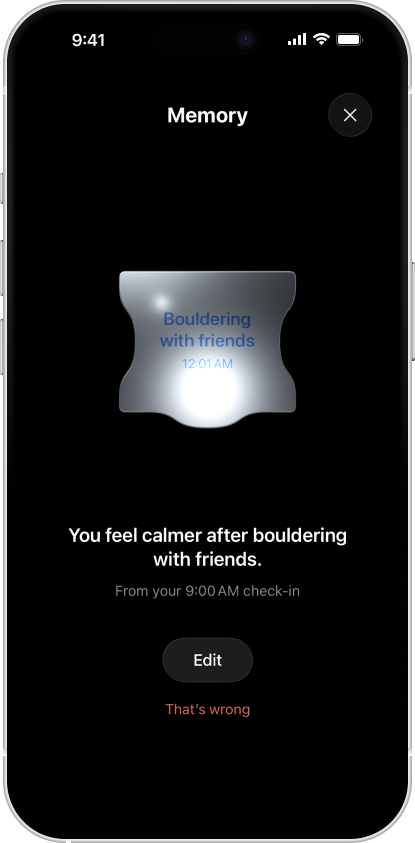
-
1. Write one real moment
You note that bouldering with friends left you calmer. A check-in can still be just a feeling; add a note only when there is more to say.
-
2. Let the detail carry forward
When a detail is worth keeping, Mental can remember it across chapters and keep it connected to the note it came from. Not every check-in becomes a memory.
-
3. Correct it, or forget it
Life changes. You can correct a memory in your own words or tell Mental to forget it. Your correction takes precedence over an earlier understanding.
More than a growing stack of entries
A later note may confirm, refine, or replace an older detail. Memory is not a transcript of everything you have written, and a possible pattern is something to consider, not a verdict about your life.
For a worked example of checking an interpretation yourself, reread one fictional week and see how a later note changes the first account.
For the engineering behind it, including how a claim is checked against your note before it is kept, read how Mental uses AI.
Privacy and availability
Memory is available in Mental 2.2. It requires Mental Pro and separate consent for optional AI processing. When enabled, note content from eligible check-ins may be processed to build or revise memories; you can turn that processing off. The privacy map and privacy policy describe Mental's current data paths.
If you are new to Mental, start with the emotion grid or the mood-tracking guide.